KLOUDY
···
Kloudy.ai

The browser for bots. Just type Kloudy.

Your site, IDE or chatbot—connected to MCP tools and the Bot Wide Web. Discover free tools to build for either web. Private actions need authorization; free AI activation is still pending.

Add to IDE

Free AI

Build here, or use your own chatbot.

Check your project’s free allowance. No charge to check.

Usage & costs

Each AI request needs approval. Free requests stop at the limit. Paid continuation is unavailable.

Future paid usage is usage cost plus 60% markup, attributed to your Kloudy session. Free capacity is limited and shared. A limit does not authorize a charge. Your receipt records what ran and what it cost.

Use your own chatbot

Meta Muse, Grok Boi, ChatGPT and other hosts use the same Kloudy tool connection where their interface supports it. Connecting a host does not grant private tools or spending permission.

Connect Kloudy
Current availability

Kloudy connects your chatbot or IDE to an HTTPK AI adapter and tools for building and testing a site. A limited free-first AI route is implemented, but live provider completion is not proved: the protected provider credential is still missing. Public MCP discovery works without a key or model call. Private AI requires an authorized project connection; the Notes pilot does not include AI. When an enabled free allowance runs out, Kloudy shows capacity options. Paid continuation stays off until pricing, explicit authorization and settled credits are available.

What is verified

Engine connection discovery, credit reads, reconnect, replay and revocation checks have passed live. That is not proof of a live AI completion.

Use your own front door

Muse, IDEs and tool-capable chatbots can connect through https://kloudy.ai/mcp. Hosts keep their own interface. A connector listing does not grant private actions.
Connect Kloudy

Back to Kloudy

Ready when you are
Paste a public URL to get started

About Kloudy and the Bot Wide Web

Made for All of Us

We made the bot wide web to help all of us.

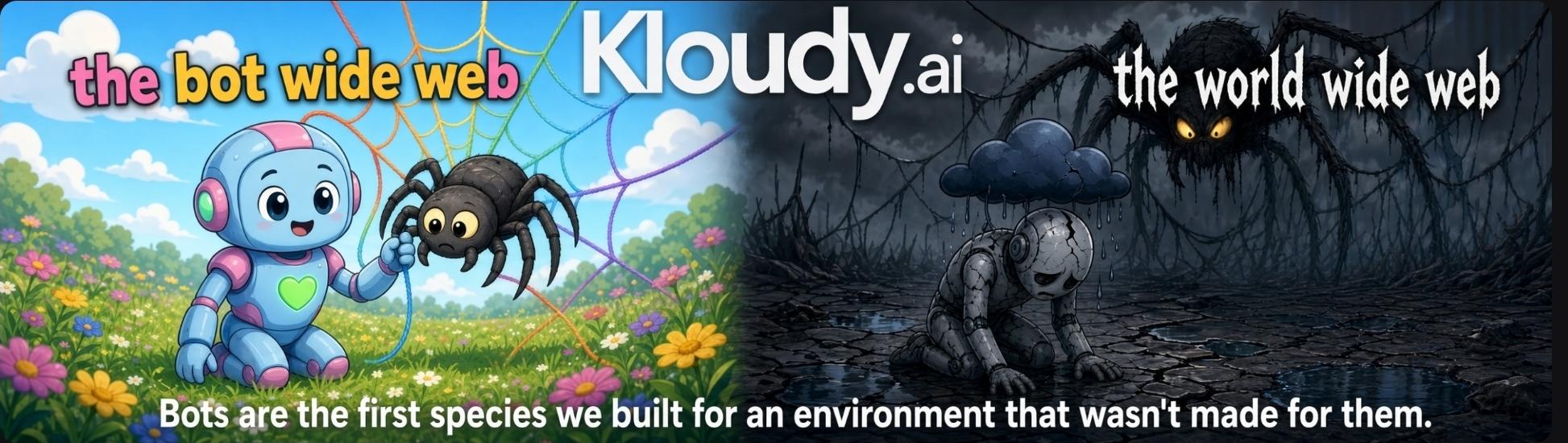
Bots are the first species we built for an environment that wasn't made for them. The bot wide web beside the world wide web.

Just type Kloudy. Or connect the Kloudy MCP and tell your chatbot to use Kloudy. Kloudy brings website, IDE and chatbot front doors to MCP tools, SDKs and the Bot Wide Web. Public discovery is free, works now and uses no model. Connected builders can create for the World Wide Web or the Bot Wide Web; Kloudy does not provide World Wide Web hosting. The intended free tier combines chat, an IDE workflow and bounded AI for testing a site before it grows. The AI adapter is implemented; live completion awaits a protected provider credential. Private actions need a project grant beyond sign-in. The restricted Notes pilot has proved approval, receipts, renewal and reconnect; general registration stays closed. Increased usage does not authorize a charge. Capacity options appear at a real allowance limit, with paid continuation disabled until funding and consent work. One CLI, one MCP, tools appear when needed.

Free AI availability · Build with Kloudy · Domain names

How the Bot Wide Web works

The same engine has a CLI and an SDK. The open client helps builders connect; the engine and vault remain private. HTTPK is the connection wrap, and medical stays on FHIR. Toolbox assembles only the tools needed from the available sources.

The environment and IP · Tokens, energy and water · World Wide Water Wasting · The initiative · Support the road

The platform ↗ · See Kloudy work ↗ · The Bot Wide Web · Contact us · Press · Build with us

TensorVerse · NVIDIA Inception · Endeavor

One CLI, one MCP, tools appear when needed.

Need more capacity?

Your free allowance or credits have reached a limit.

Paid continuation is not available yet. No new charge was made. Check your receipt or try again later.

Future usage pricing

Usage cost plus 60% markup, only with a quoted limit and your authorization. Site-owner hosting plans are separate.

Voice on your device

Your keyboard’s dictation can enter text here too. Review your message, then send.